Automations
Setup
- Use
/automationsto get started. - Choose a trigger that will activate the automation.
- Select the action that will be executed when the trigger is activated.
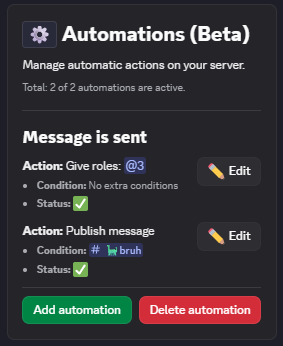
Manage automatic actions based on triggers.
Triggers
Triggers are events that activate an automation. Some examples include:
- User joins the server
- Message is sent
- User receives/loses a role
- Reaction added/removed
Actions
Actions are tasks that are executed when an automation is triggered. Some examples include:
- Give roles
- Remove roles
- Publish message
- Add reaction
Popular Use Cases
🔰 Reaction Roles
Choose the Reaction Added trigger and the Give Role action to create a reaction role automation.
🛡️ Auto Reaction
Choose the Message Sent trigger and the Add Reaction action to automatically react to messages in a specific channel.
📢 Auto Publisher
Choose the Message Sent trigger and the Publish Message action to automatically publish messages in an announcement channel.