Moderation
Setup
Use /mod settings to configure moderation settings for your server.
- Set up a log channel to keep track of moderation actions.
- Configure automated moderation to automatically take action against spam.
Moderate Users
Use /mod user to moderate a specific user.
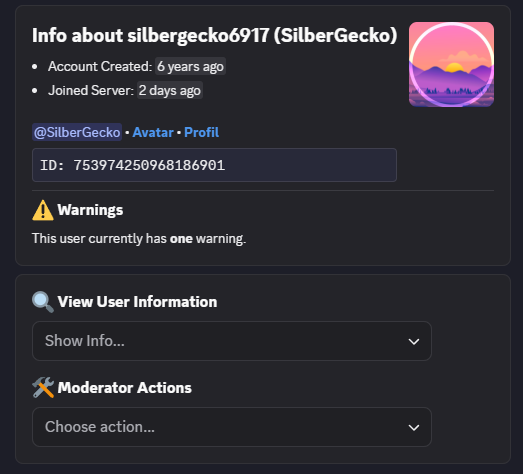
View user information and perform moderation actions.
User Commands
You can right-click on a user to perform quick moderation actions.
Right-click > Apps > Cookie
Automatic Punishments
With /mod settings, you can set up automatic punishments for a specific number of violations.
For systems like Anti-Spam, you can then set the punishment type:
- Direct Punishments: Users will immediately receive the configured punishment on their first offense.
- Violation: Users receive a violation for each offense and are punished when they reach the specified number of violations.
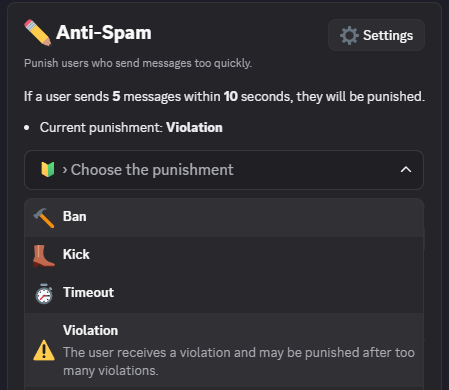
Choose violations or direct punishments for automatic moderation actions.
Other Commands
- Use
/clearto bulk delete messages in a channel. - Use
/delete_postto delete a forum post. If you have logging configured, a transcript of the deleted post will be saved in the log channel.