Customization
✨ Custom Bot
Customize Cookie's name, avatar, bio and banner to make it unique for your server.
- Use
/custom_botto get started.
✏️ Custom Messages
You can customize most messages sent by Cookie to make them unique for your server.
- Use
/messagesto get started.
Send Custom Messages
By using /messages, you can create and send custom messages in any channel on your server.
- You can also right-click any existing message and select
Apps > Copy Messageto duplicate it.
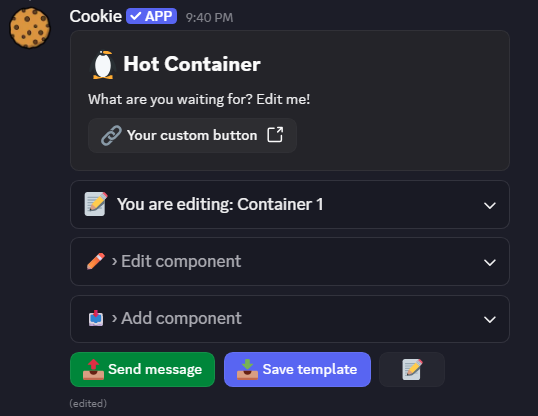
A dynamic message builder to create and send custom messages.
Edit Custom Messages
Custom messages can be edited by right-clicking them and selecting Apps > Edit Message.
Variables
Depending on the message, you can use different types of variables when editing Cookie's messages.
- User Variables (1)
- Server Variables (2)
- Role Variables (3)
- Channel Variables (4)
-
User Variables - Information about a specific user.
{user_mention}- Pings the user.{user_name}- The user's name.{user_global_name}- The user's global display name{user_display_name}- The user's display name on the current server{user_avatar}- The profile picture URL{user_id}- The user's ID
-
Server Variables - Information about the current server.
{server_name}- The name of the current server{member_count}- The number of members on the server{server_icon}- The server icon URL{server_id}- The role ID
-
Role Variables - Information about a specific role.
{role_name}- The role name{role_mention}- The role ping{role_id}- The role ID
-
Channel Variables - Information about a specific channel.
{channel_name}- The channel name{channel_mention}- The channel mention{channel_id}- The channel ID